
Shared Devices in Healthcare
Shared Devices in Healthcare
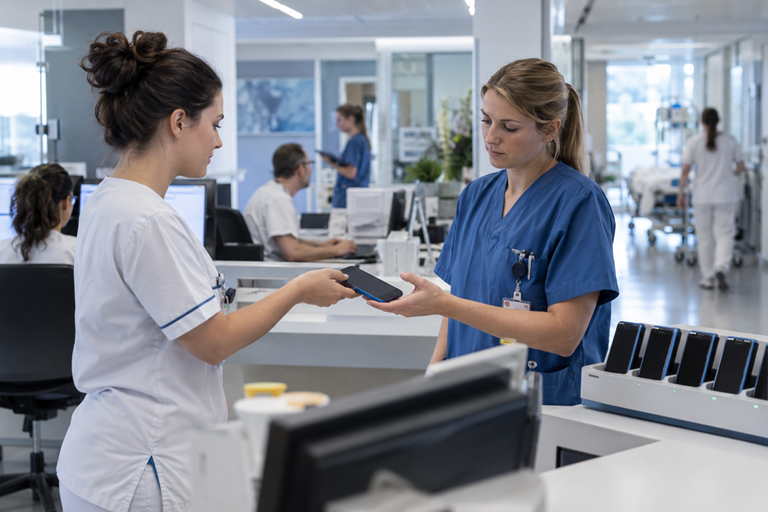
One device, many employees
Especially in shift work, a personal smartphone or tablet is not practical for every employee. Shared devices allow mobile devices to be used flexibly within teams, wards, or functional areas.
In this scenario, multiple people use the same physical device, but each requires their own work environment, applications, and access rights.
The challenge therefore begins with the user changeover: the device must recognize who is currently using it, provide the appropriate apps and data, and be securely prepared for the next person after use.
The challenge for IT
Shared devices require different processes than personally assigned devices. In particular, user switching, role-based access, and device return must function reliably without unnecessarily slowing down daily clinical routines.
Secure User Login
Employees must be able to log in to the shared device quickly and uniquely.
Role-Based Work Environment
Depending on the user or function, the designated apps, data, and permissions are provided.
Single Sign-On
The simplest possible login reduces additional login steps in the daily work routine.
Automated Configuration
Device settings and applications are provided centrally and consistently.
Controlled Logout
After use, personal sessions and access must be reliably terminated.
Security & Compliance
The device, user status, and access must comply with defined security requirements.
The Solution: Providing Role-Based Shared Devices
A professional shared device concept combines centralized device management, secure user identity, and automated provisioning of the required work environment.
Employees take an available device, log in, and receive access to the designated apps, data, and services depending on their role. Single sign-on and automated configurations can reduce unnecessary manual steps.
After use, the session is terminated in a controlled manner and the device is prepared for the next person. This ensures that the mobile work device remains flexible to use without personal data or access rights persisting between users.
Shared Devices in Daily Hospital Routines
A shared device must function as simply as possible during a user changeover. From obtaining the device to its secure return, the process should be clear and fast for employees.
01
Take Device
Employees take an available smartphone or tablet from the device pool.
02
Login
The person authenticates securely on the device.
03
Personal Work Environment
Role-dependent apps, settings, and access are provided.
04
Work
The device is available with the required mobile work environment.
05
Logout
Personal sessions and access are terminated in a controlled manner.
06
Handover
The device is ready again for the next employee.
RESULT
Fast user switching. Personal work environment.
Employees can take an available device, log in securely, and work directly with the apps and access points intended for their role. After logging out, the device is securely ready for the next person.
How Nomasis Supports You
Nomasis supports healthcare organizations in the design and technical implementation of shared device scenarios – from device management and user identity to deployment, operation, and support.
In doing so, devices, users, applications, and access are coordinated so that shared smartphones and tablets can be used securely and efficiently.
Shared Device Concept
Define user groups, deployment scenarios, and device processes and transform them into a sustainable operating model.
UEM / MDM Integration
Centrally register, configure, and manage shared smartphones and tablets throughout their entire lifecycle.
Identity & Single Sign-On
Integrate secure user login, role-based access, and single sign-on into existing identity processes.
Apps & Configurations
Provide applications, settings, and access in a controlled manner depending on user role and deployment scenario.
Lifecycle & Operations
Reliably organize device pools, user switching, device replacement, support, and ongoing operations.